
website project handoff
A 10 step learning path: start with the how-to, then use the checklist, worksheet and examples, and finish by measuring results and avoiding common mistakes.
Step 1 · How-to
Website Project Handoff: Practical Guide
Give the site owner the information needed to operate and maintain the finished site. A narrow first pass makes it easier to see whether the method works before applying it more widely.
Step 2 · Checklist
Website Project Handoff: Checklist
Use this website project handoff checklist before a new release, a handoff, or a scheduled review. Its purpose is to verify the decisions that affect handoff tasks completed independently. Check an actual page or interaction record; a box marked complete without evidence does not show that the customer journey works.
Step 3 · Worksheet
Website Project Handoff: Template and Field Guide
This website project handoff template turns a broad task into a record another person can use. It captures asset, owner, access method, then connects that information to a decision. Copy the table into your working document or system and create a separate record for each item in scope.
Step 4 · Examples
Website Project Handoff: Worked Examples
The following website project handoff examples illustrate how to move from an observed problem to a practical decision. They are hypothetical operating scenarios, not customer results or performance benchmarks. The central question is whether the work helps improve handoff tasks completed independently without losing the context needed to judge it.
Step 5 · Procedure
Website Project Handoff: Team Workflow and Handoff
A team workflow for website project handoff needs more than a list of tasks. Each person should know what to receive, what to produce, and what evidence allows the next person to continue. Use the procedure below to make responsibilities explicit and keep handoff tasks completed independently connected to the work.
Step 6 · Automation
Website Project Handoff: Automation Workflow
A website project handoff automation workflow should handle repeatable preparation and record movement while preserving the decisions that require context. Start by defining a reliable trigger around a page or interaction record. Then specify the required information, the permitted action, and what happens when the conditions are not met.
Step 7 · Prioritization
Website Project Handoff: How to Prioritize the Work
Prioritize website project handoff work by connecting an observed problem with the people or business outcomes it affects. The objective is to give the site owner the information needed to operate and maintain the finished site. Give the team a short ordered queue with a reason for each decision, rather than treating every suggestion as equally urgent.
Step 8 · Evaluation
Website Project Handoff: Review Process
A useful website project handoff review ends with a supported decision for each item examined. Define the evidence required before opening the report: asset, owner, access method, operating procedure. These fields give reviewers a shared basis for agreeing what is working, what needs attention, and who should act.
Step 9 · Measurement
Website Project Handoff: Metrics and Measurement
Measure website project handoff by defining handoff tasks completed independently precisely enough that two people can reproduce the result from the same records. Keep the reporting unit, date basis, and scope visible. Without those definitions, a change in the report may reflect a changed calculation rather than a changed customer outcome.
Step 10 · Mistakes
Website Project Handoff: Mistakes and How to Fix Them
A common failure in website project handoff is delivering a login without explaining daily operations. The consequences often appear later, when someone tries to act on incomplete or misleading information. This guide explains how to recognize the failure, correct the immediate problem, and prevent it from becoming a repeated working practice.
The offer
AgentixHUB: Your agency's AI command center
- Scout AI assistant. Ask in plain words. Scout researches, plans and acts across every Agentix product.
- Approve every change. Scout drafts the work. You approve it before anything touches a client account.
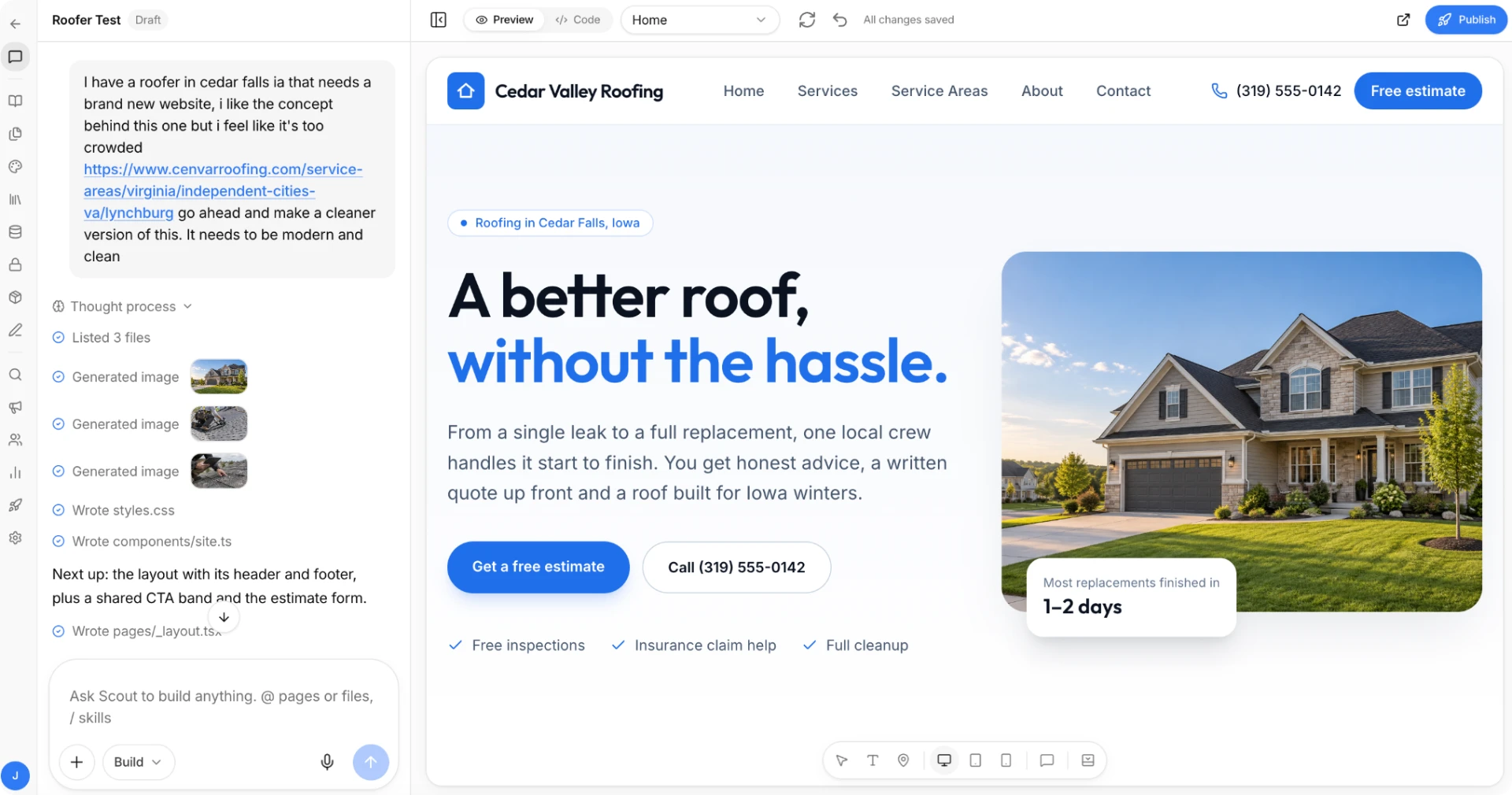
- Site Studio. Build or redesign client websites and landing pages from a prompt.
HUB plans from $79/mo
Tell Scout what your client needs and AgentixHUB builds the site, landing pages and apps for you to approve.
Start now Or talk to salesBefore you buy
Questions agencies ask.
Run website project handoff for every client.
Build client websites, landing pages and full applications with Scout, all under your agency brand.
HUB plans from $79/mo